TV Aerial or IPTV? Freeview Aerials vs TV Over Broadband
A TV aerial picks up Freeview's live channels over the air, and once you have paid your TV licence Freeview says there is nothing else to pay. Freeview recommends a roof-mounted wideband aerial (Type T or Type W); indoor and loft aerials can work where reception is good. IPTV skips the aerial and streams live channels over broadband for a monthly fee. You can keep both: the aerial for Freeview's channels, IPTV for channels Freeview does not carry.
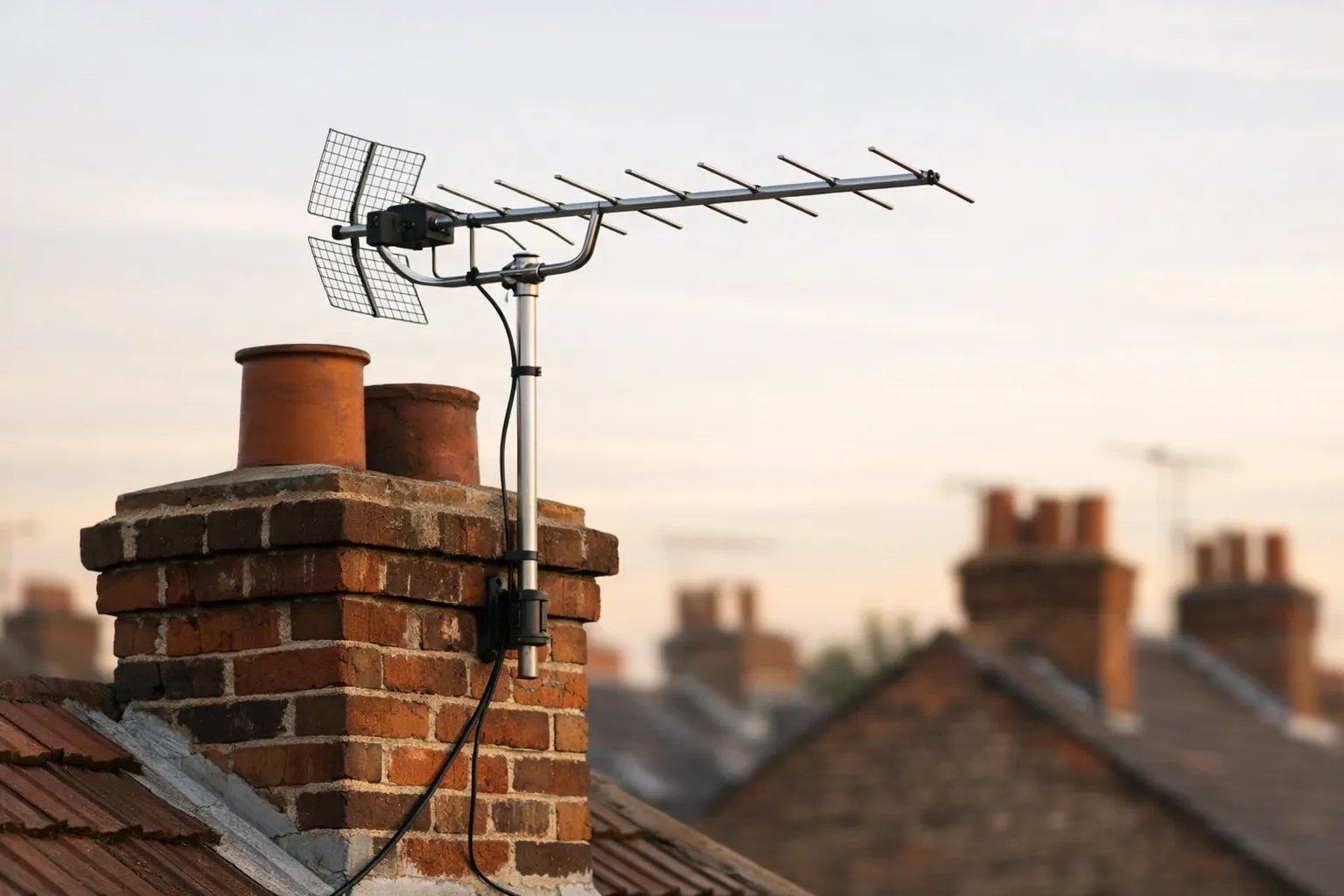
This page belongs to our guide to free live TV apps and services. It covers which TV aerial fits your home, what an installer costs, and how an aerial compares with watching live TV over broadband.
What a TV aerial gives you, and what it doesn't
You need a TV aerial to watch Freeview live through the TV guide on your television. Without one, you can still watch some channels over the internet, but not the broadcast channels in the guide.
Freeview defines an aerial, also known as a TV antenna, as the device that lets your TV receive signals broadcast over the air, and says any TV bought after 2010 already has Freeview built in.
Without an aerial, a Freeview Play TV can still open the broadcasters' players, such as BBC iPlayer, ITVX, Channel 4 and My5, over the internet. Freeview notes that BBC iPlayer, ITVX and My5 have their own live players inside the apps. Freeview Play's catch-up and on-demand side needs a broadband connection of at least 2Mbps, and that viewing counts towards any monthly data allowance.
Two things an aerial does not change. First, Freeview says everyone who watches broadcast TV in the UK needs a TV licence, whatever service they use; our explainer on the TV licence and IPTV covers how that applies to streaming. Second, the channels you get depend on your address, which is why the first step is a postcode check, not a shop.
Which TV aerial do you need?
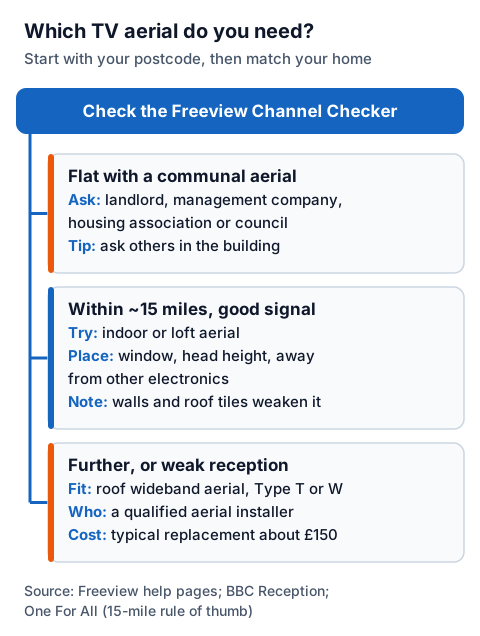
Check your postcode in the Freeview Channel Checker first, then choose the aerial. Freeview recommends a roof aerial; a loft or indoor aerial is an option only where the signal is good.
| Aerial | Where it works | What the sources say |
|---|---|---|
| Roof (outdoor) wideband aerial, Type T or Type W | Most homes, including weaker signal areas | Freeview recommends it; it covers the full range of digital TV signals and keeps working if those signals change |
| Loft aerial | Homes close to a transmitter with a strong signal | The BBC says the signal is weakened by roof tiles and foil-backed insulation |
| Indoor portable aerial | Good-reception areas, often rented homes | Freeview calls it a simple, low-cost option; it can pick up interference from household appliances |
| Communal aerial | Flats and shared buildings | Freeview says to ask your landlord, management company, housing association or council to check it |
Freeview says most aerials replaced in the last 10 years are likely to be wideband already, so an existing roof aerial may only need checking. Its quick check: go outside and see whether yours points the same way as the other aerials on your street.
The BBC adds a detail worth knowing: its TV reception predictions assume an outside aerial 10 metres above the ground, so a good prediction does not promise the same result from an aerial on a shelf.
Indoor TV aerial: when it is enough
An indoor TV aerial is enough when you live close to a transmitter and the Channel Checker predicts good reception. Further out, or where walls and roof tiles cut the signal, a roof aerial is the option Freeview and the BBC point to.
One For All, which makes indoor and outdoor aerials, gives a rule of thumb on its UK aerials page: within 15 miles of the nearest broadcast tower you can choose an indoor aerial, and beyond 15 miles it recommends an outdoor one. The same page says its indoor aerials can receive signals up to 30 miles from the transmitter, and that most of its aerials carry filters against 3G, 4G and 5G mobile signals. Those are the maker's figures for its own products; we have not checked them.
Placement matters as much as the model:
- Window, head height. Freeview recommends a windowsill at head height.
- Away from electronics. Freeview and One For All both warn about interference; One For All names fridges, microwaves and computers, and notes that concrete roofs and floors block signal.
- Facing the transmitter. One For All suggests placing it in line with the broadcast transmitter.
- Retune after moving it. Freeview says a TV's channel search takes three to four minutes.
Do you need an amplifier or booster?
Usually not. The BBC calls a signal amplifier a last resort for a weak signal, because even a good one adds some noise and can make the picture break up.
The BBC's reception pages list three types: masthead amplifiers, fitted under an outside aerial; set-back amplifiers, fitted between the wall socket and the TV; and distribution amplifiers, which split one aerial's signal to several TVs. All three need power. The BBC also warns that amplifiers are a common source of reception problems; if water gets into a masthead amplifier, it can boost the fault itself. Its test: switch the amplifier off and see whether the problem goes away.
The opposite problem looks the same on screen: close to a transmitter, a signal that is too strong can also cause pixellation, and the BBC's fix is an attenuator, which reduces the signal.
Getting a TV aerial fitted, and what it costs
Freeview advises using a qualified aerial installer for any roof work and cites industry guidance that a typical aerial replacement costs £150. The price depends on where you live and how complex the job is, so get more than one quote.
Freeview points to two directories for finding one: GetMeViewing.org.uk from the Confederation of Aerial Industries, and GetMeDigital.com from Registered Digital Installers. The BBC adds that the aerial should sit as high as possible, point at the transmitter with the strongest signal, and have nothing in front of it such as trees, and that good quality cable and connectors keep signal loss down. If you live in a flat with a communal aerial, Freeview's advice is to ask the landlord, management company, housing association or council to get it checked.
TV aerial vs IPTV over broadband
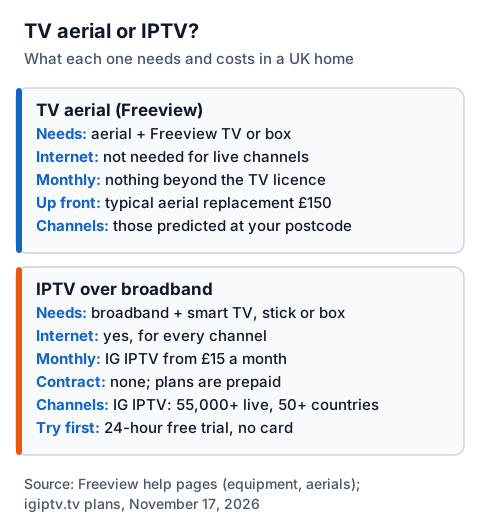
A TV aerial costs a one-off sum and nothing monthly beyond the TV licence, but it only receives the Freeview channels predicted for your postcode. IPTV needs no aerial and no installer, but it needs broadband for every channel and a paid plan.
| TV aerial (Freeview) | IPTV over broadband | |
|---|---|---|
| What you need | An aerial and a Freeview TV or box | Broadband and a smart TV, stick or box with a player app |
| Internet | Not needed for live channels | Needed for every channel |
| Up-front cost | Typical aerial replacement: £150 (Freeview, citing industry guidance) | No installer; plans are prepaid, with no contract |
| Ongoing cost | Nothing beyond the TV licence | IG IPTV from £15 a month; £25 for 3 months, £35 for 6, £55 for 12 months plus 2 free |
| Channels | Those predicted at your postcode | IG IPTV: 55,000+ live channels from 50+ countries |
| Picture | HD channels on a Freeview Play TV | Up to 4K where the channel broadcasts it |
| Try first | Freeview Channel Checker | 24-hour free trial, no card needed |
The weak points differ too. An aerial suffers from weather, interference and distance from the transmitter; IPTV depends on your broadband, so our guide to IPTV freezing and speed checks is the place to start before you sign up. IPTV technology itself is legal; whether a service is lawful depends on whether the seller holds the rights to what it streams, which our explainer on when IPTV is legal sets out.
Using both: the aerial for Freeview, IPTV for the rest
One TV can take both an aerial and a streaming device. The aerial covers the Freeview channels at your address with no internet; IPTV adds channels Freeview does not carry, such as stations from other countries.
If you try IPTV, start with the channels you actually watch rather than the headline count. IG IPTV offers a 24-hour free trial with no card, so you can check, on your own TV, that the channels you care about are there and play well on your broadband before paying. Our UK IPTV plans page lists the plan lengths, and the multi-room upgrade adds 2 to 4 simultaneous streams on one login if more than one room watches at once. For the device side, the setup guide for every device walks through a first install.
Frequently Asked Questions
Do I need a TV aerial for Freeview?
Yes, to watch Freeview live through the TV guide. Freeview says that without an aerial you can still watch some channels over the internet on a Freeview Play TV, through players such as BBC iPlayer, ITVX and My5.
Is a TV antenna the same as a TV aerial?
Yes. Freeview says an aerial is also known as a TV antenna; "aerial" is the usual UK word.
Will an indoor TV aerial work?
It can, where reception is good, though walls and roof tiles weaken the signal. One For All's rule of thumb is an indoor aerial within 15 miles of the transmitter.
How much does a new TV aerial cost to fit?
Freeview cites industry guidance of £150 for a typical replacement, varying with location and how complex the job is. Get more than one quote.
Can IPTV replace a TV aerial?
It can, for live viewing, because IPTV streams channels over broadband instead of over the air. Your live TV then depends on your broadband, and the TV licence rules still apply.
Sources
- Freeview blog, "Do I need an aerial for Freeview Play?", read November 17, 2026.
- Freeview help: equipment, communal aerials, aerial installers, connecting your aerial, and the Channel Checker, read November 17, 2026.
- BBC Reception: a good Freeview installation, and amplifiers and attenuators, read November 17, 2026.
- One For All, TV aerials, UK (oneforall.com/en-gb/tv-aerials), read November 17, 2026.
- IG IPTV plans and terms (igiptv.tv), read November 17, 2026.
Couldn't read: Ofcom's wideband aerials advice page (ofcom.org.uk returned an access block), so nothing on this page is attributed to Ofcom.